Every size is even.
Type, icons, spacing and radii sit on even numbers. Text starts at 12 and never lands on 13, 15 or 17.
16 / 24Body text, the default for reading13 · 15 · 17
Ivan Sai · UX/UI designer · Kyiv
Open to UX/UI design projects
I design interfaces for products and websites: complex B2B systems (e-documents, reporting, POS) at Linkos, plus apps, landing pages and online stores as a freelancer. I map the logic, build the components and take each flow to a working prototype. AI tools help me get there faster.
Illustration: a document list drawn as a design spec on the left and as the finished interface on the right. Drag the handle or use the arrow keys to compare.
Product work from my in-house job and freelance projects. NDA projects are shown without logos and with fictional data.
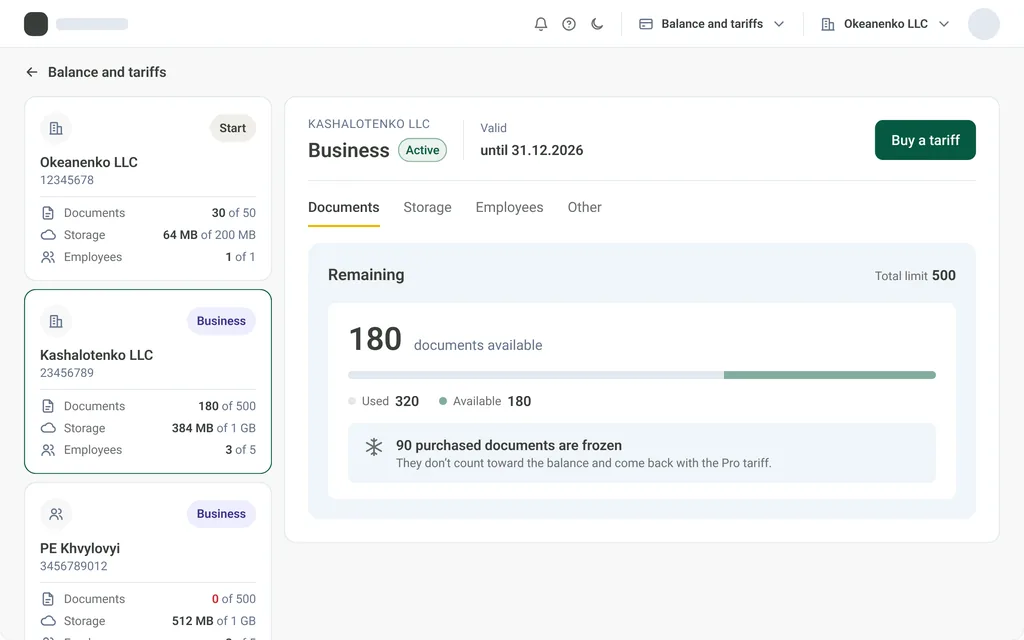
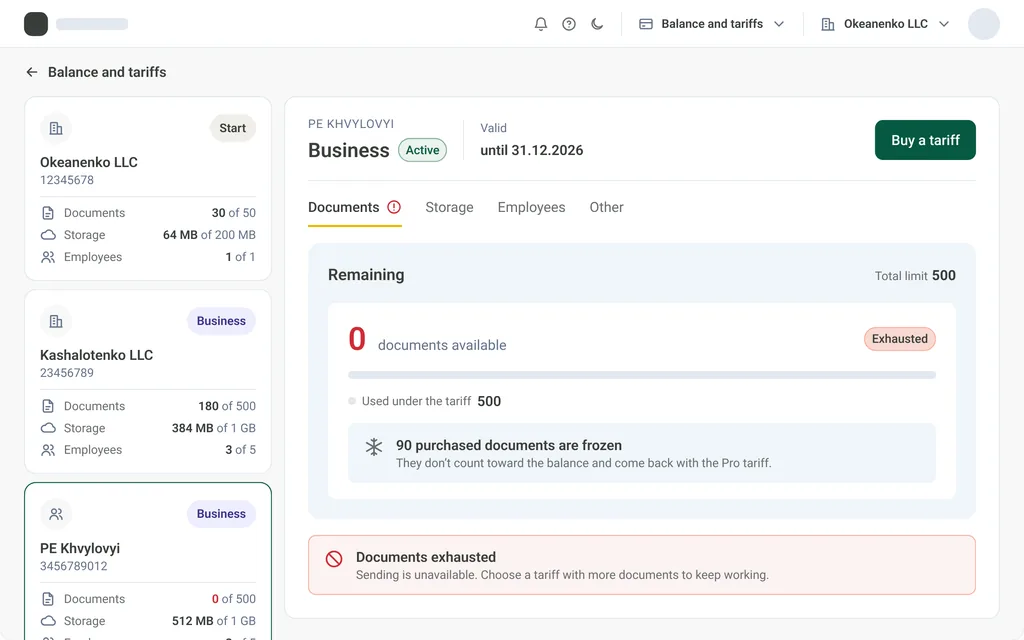
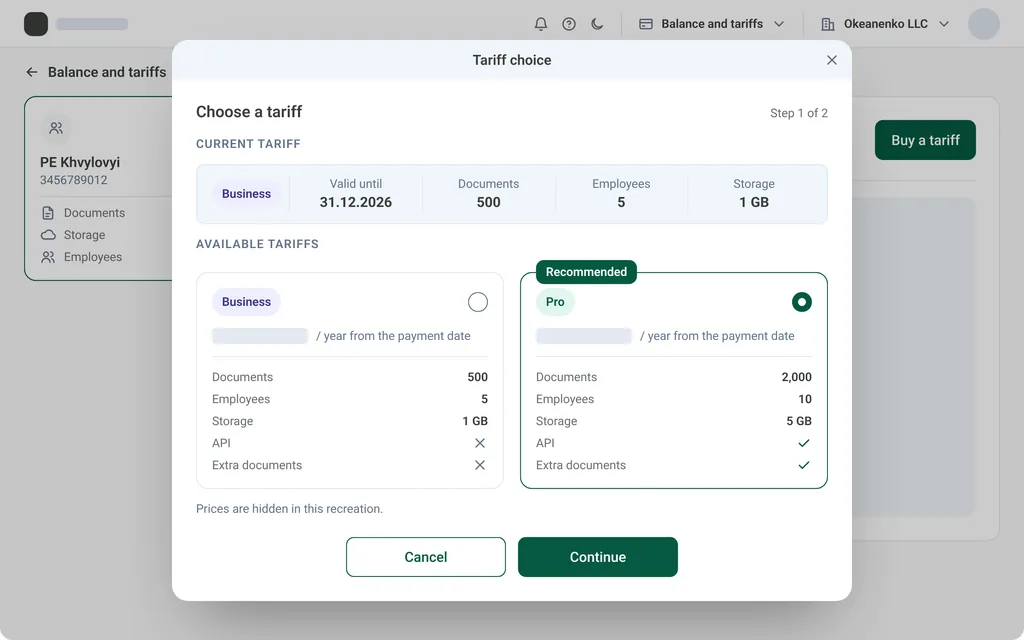
Balance, limits and tariff purchase: one billing pattern for two of the company’s products.
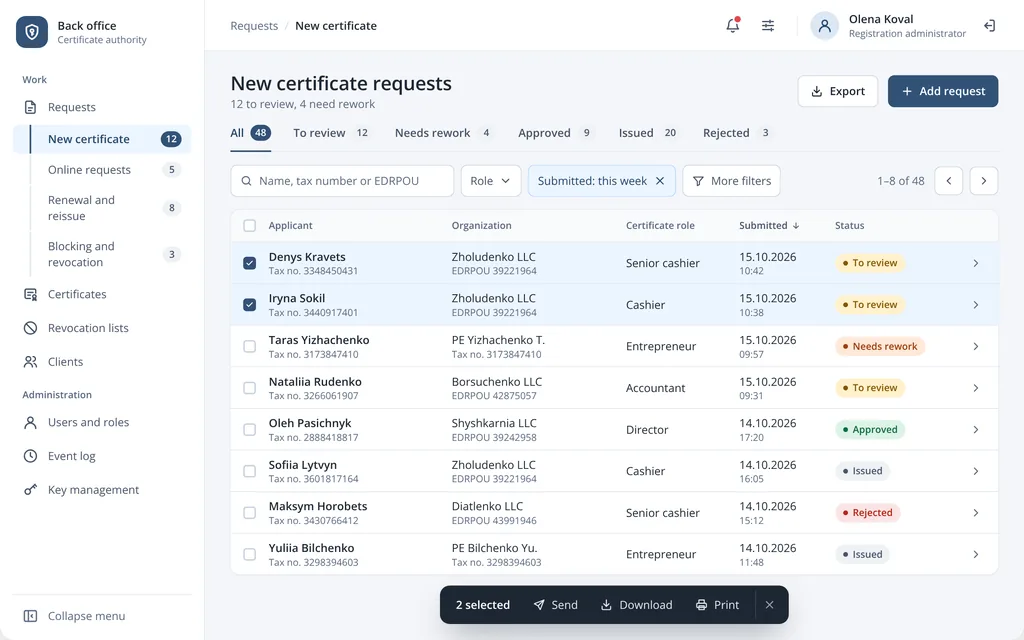
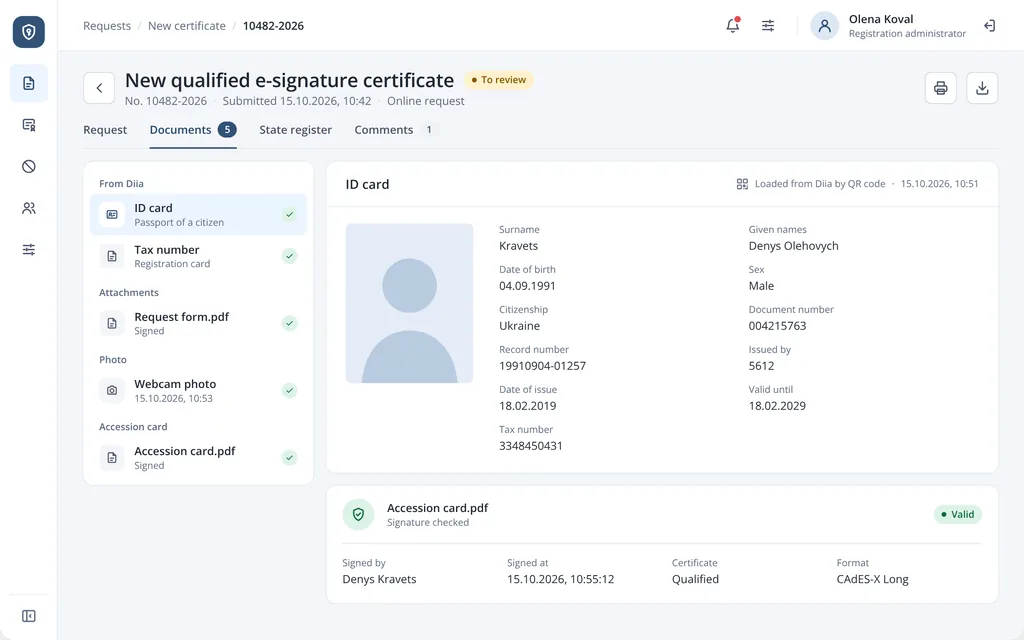
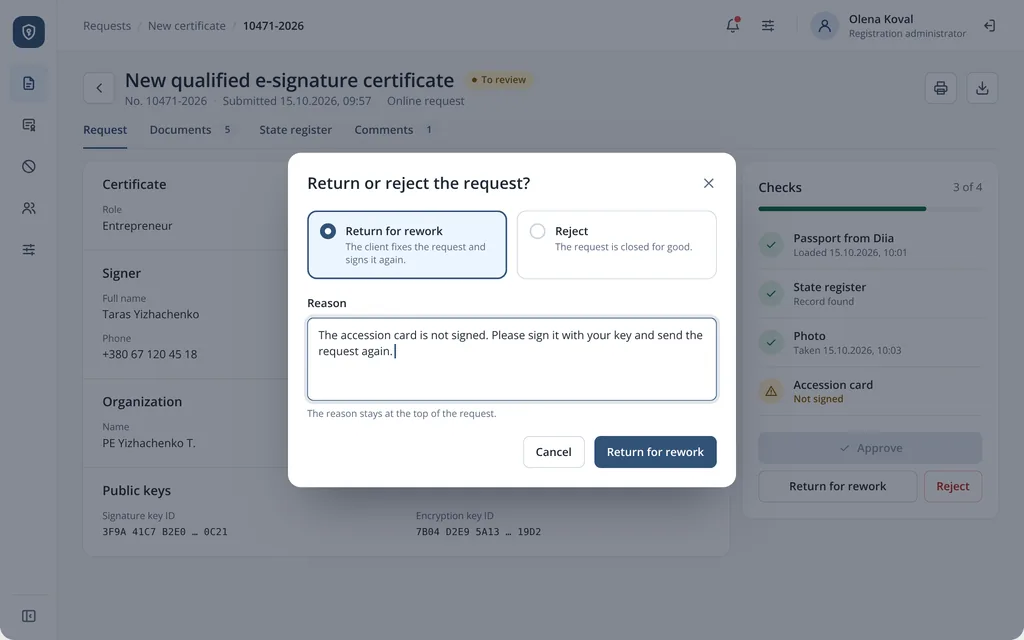
Where staff check e-signature requests and issue, renew, block or revoke certificates.
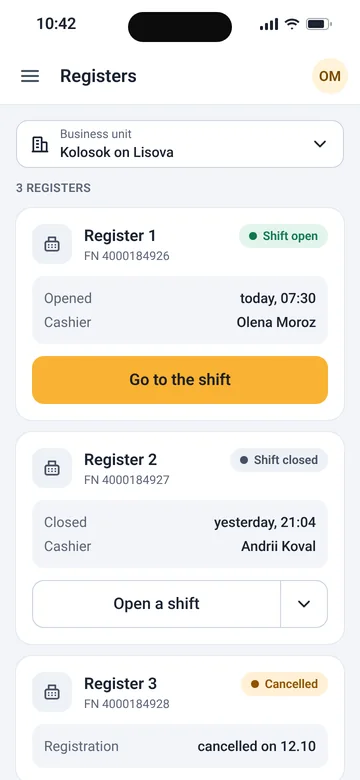
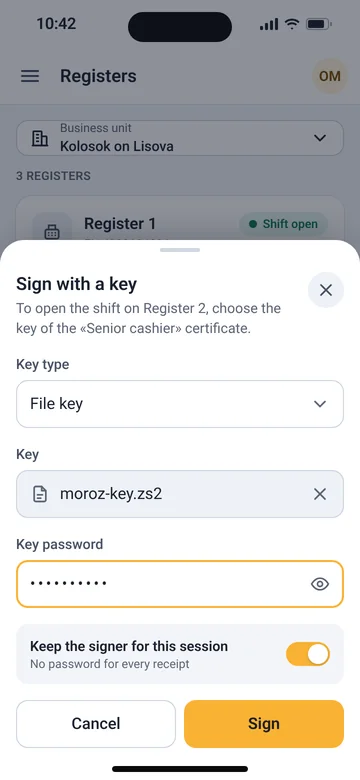
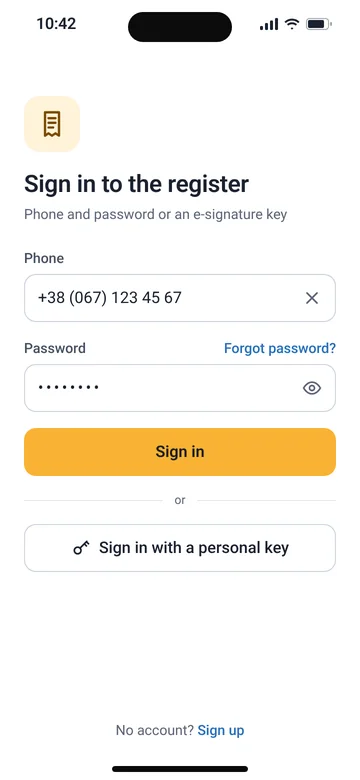
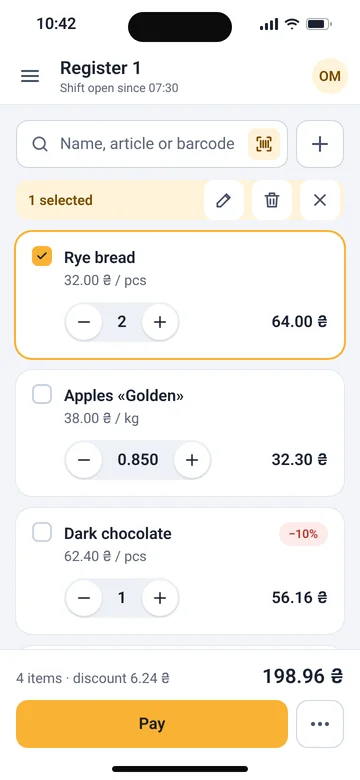
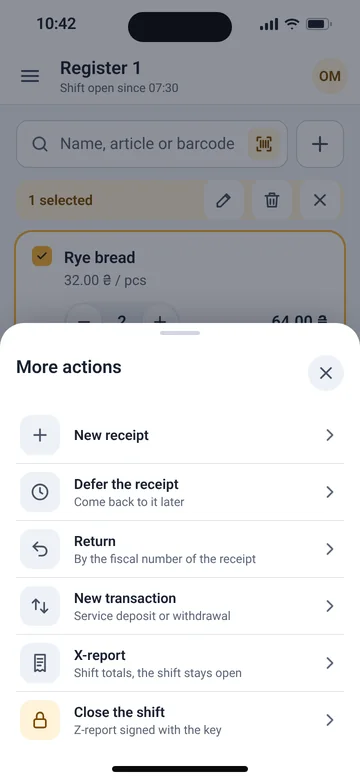
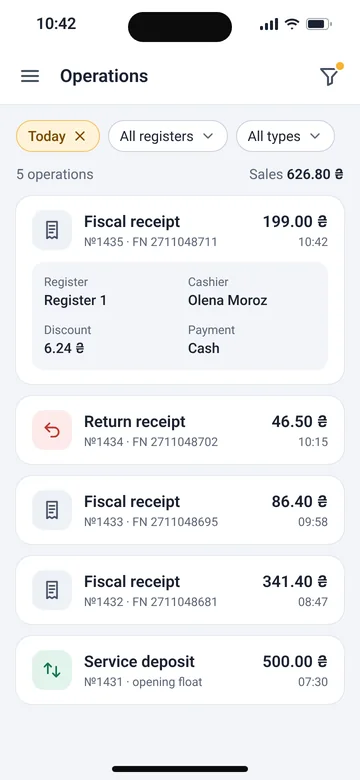
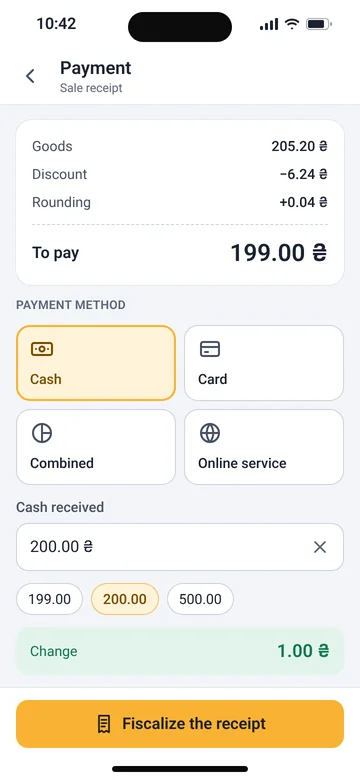
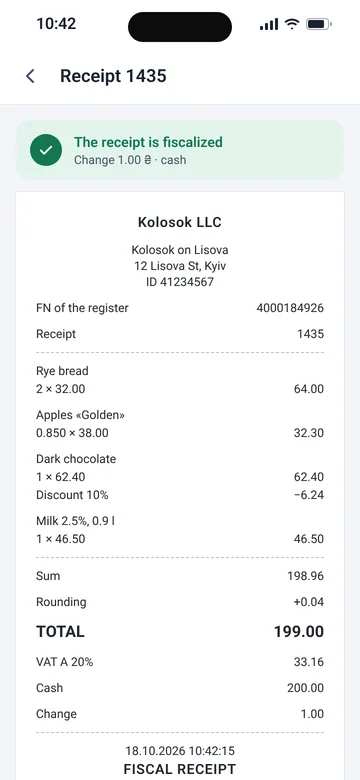
48 screens that move a web cash register to a phone, from signing a shift to the receipt.
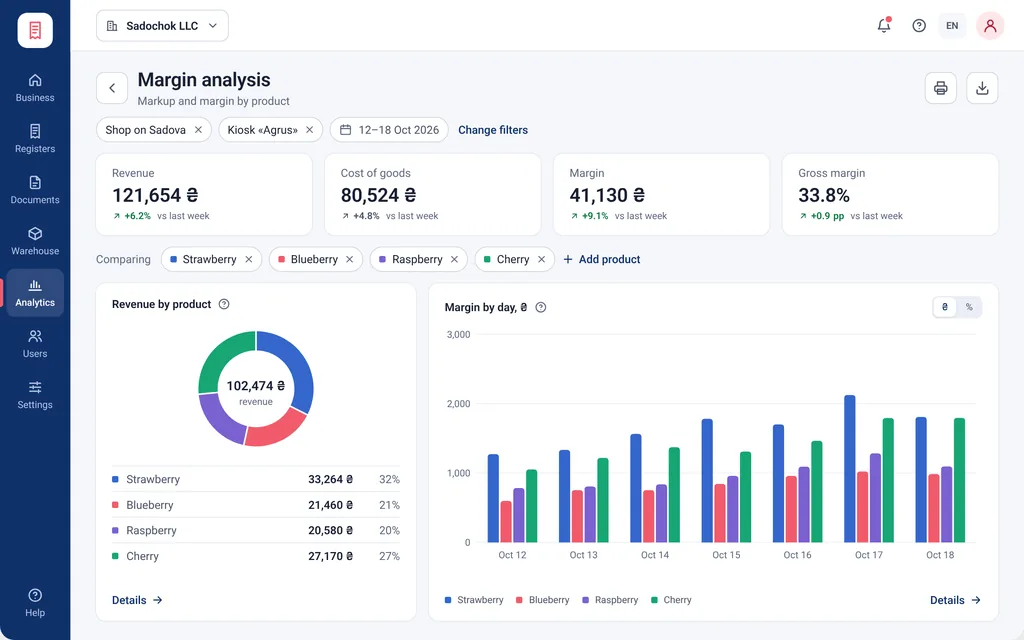
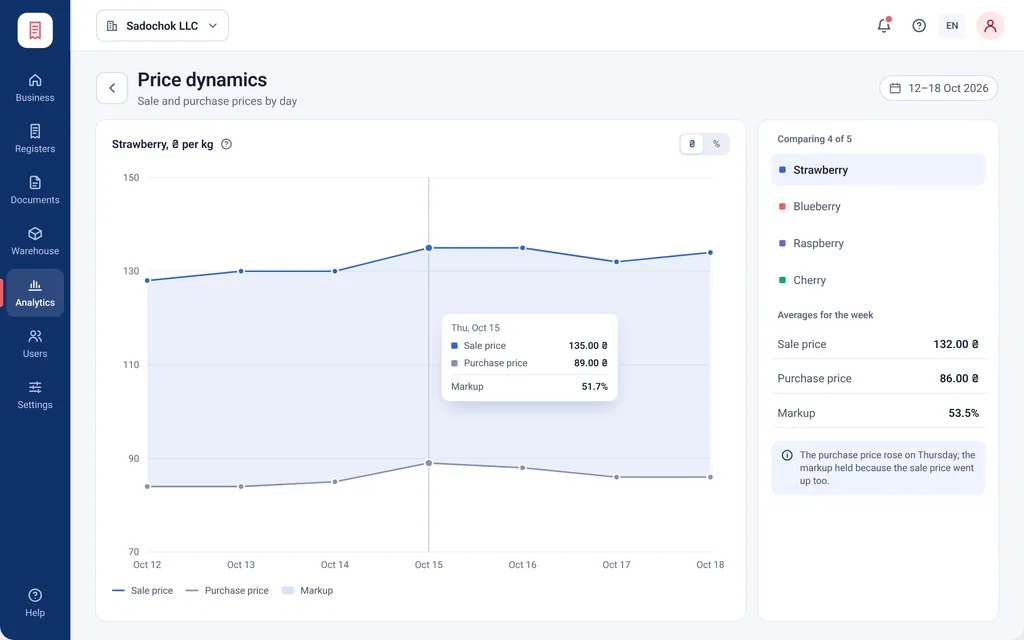
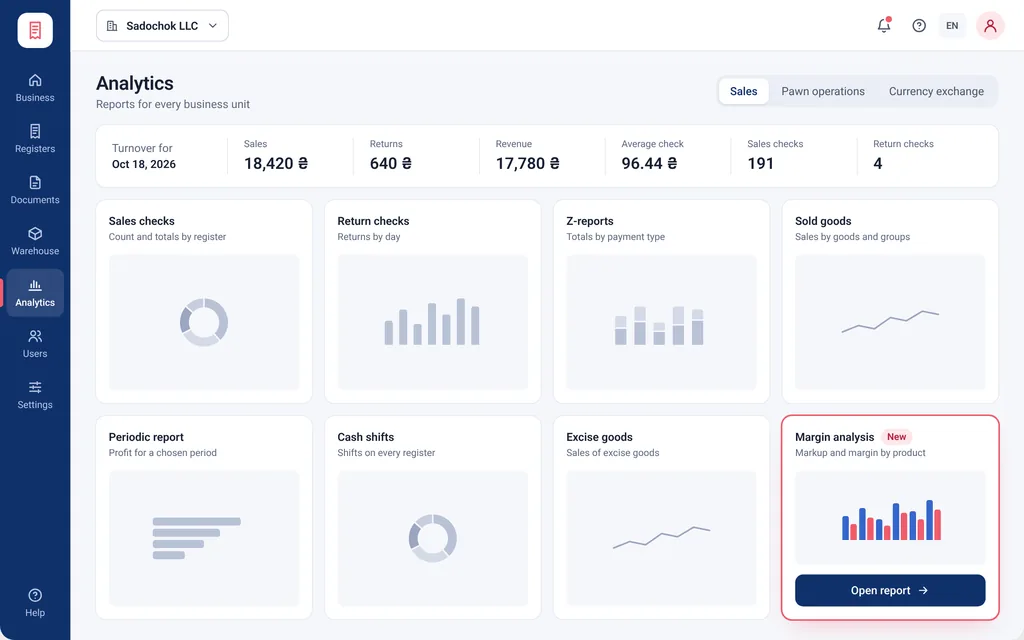
A report on which goods earn the money and how purchase and sale prices move.
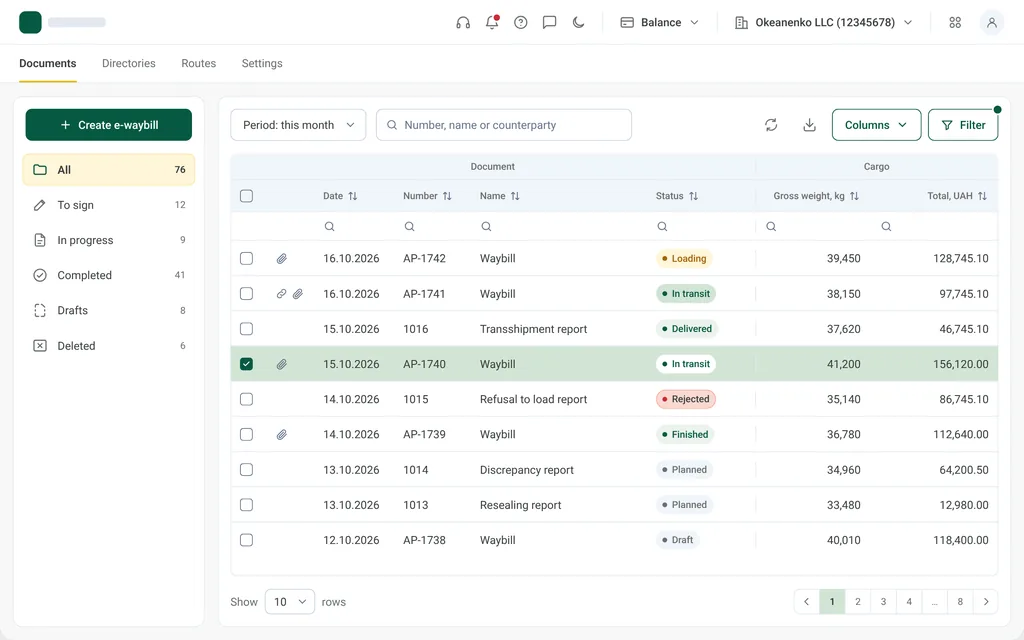
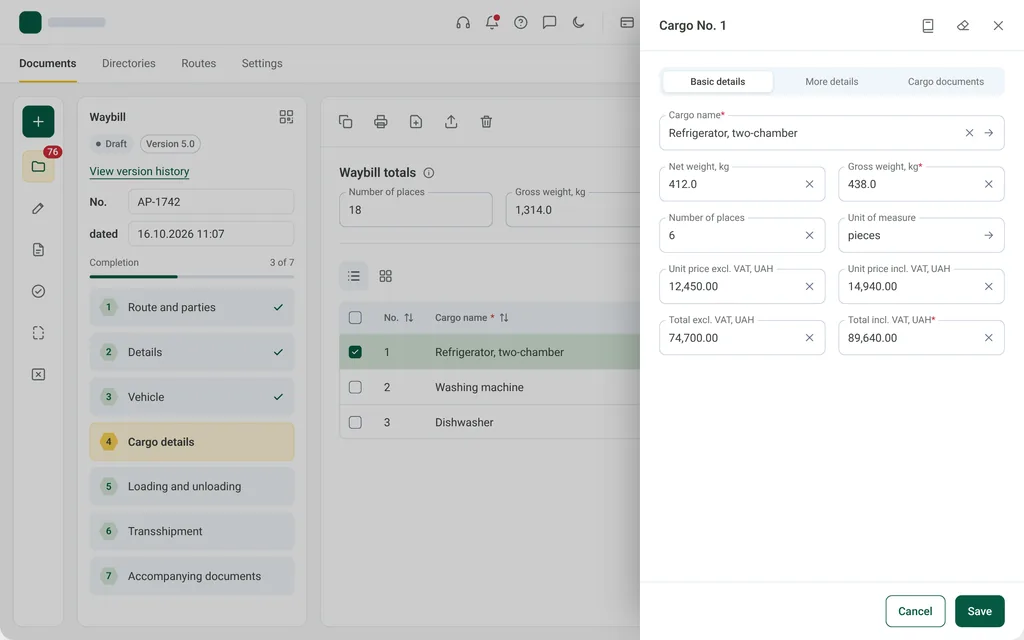
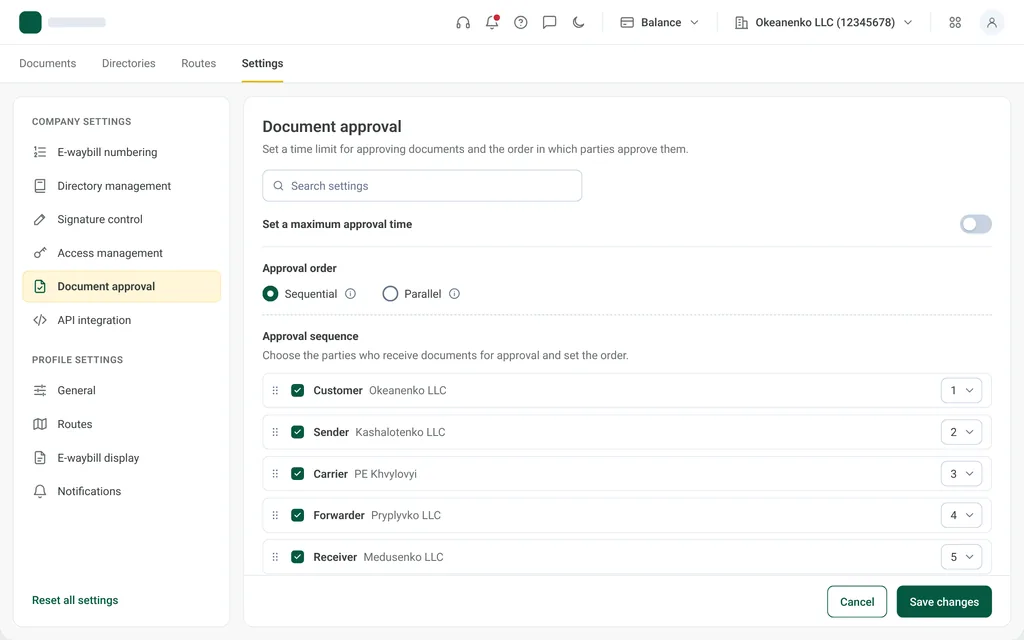
A document list, a step-by-step form with cargo and versions, saved routes and approval settings.
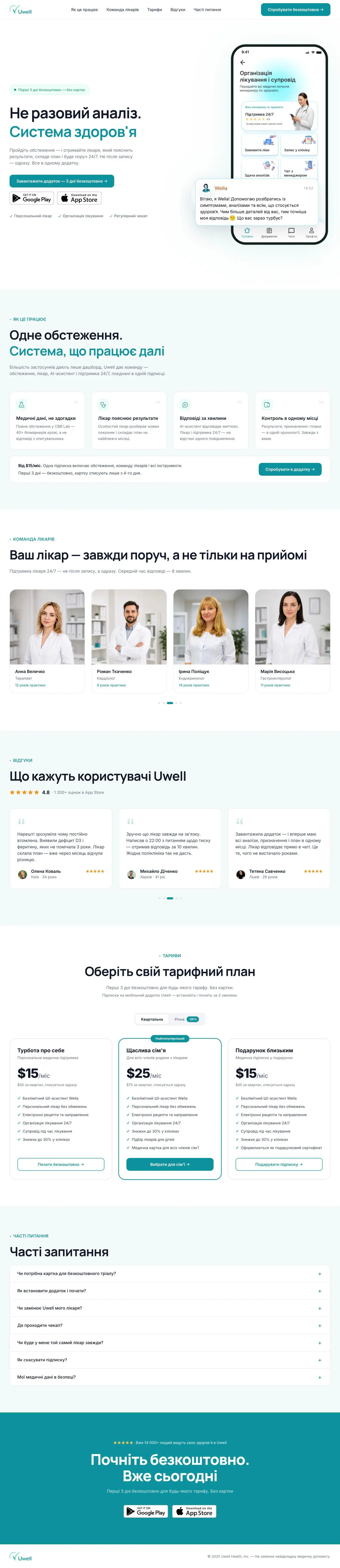
A health subscription landing built around one barrier: a one-off test versus ongoing care.
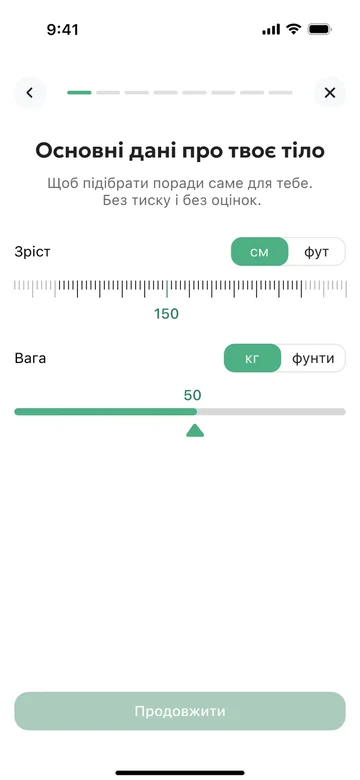
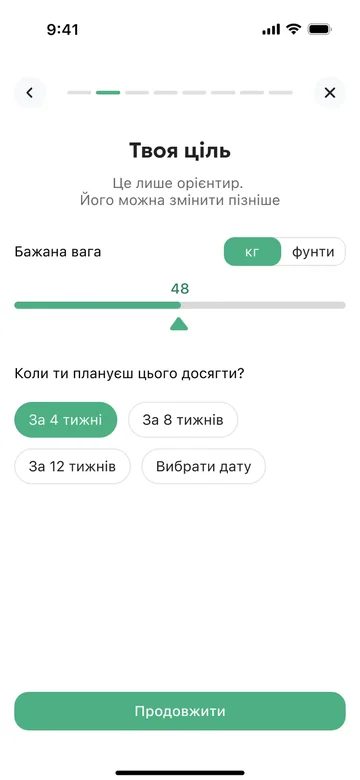
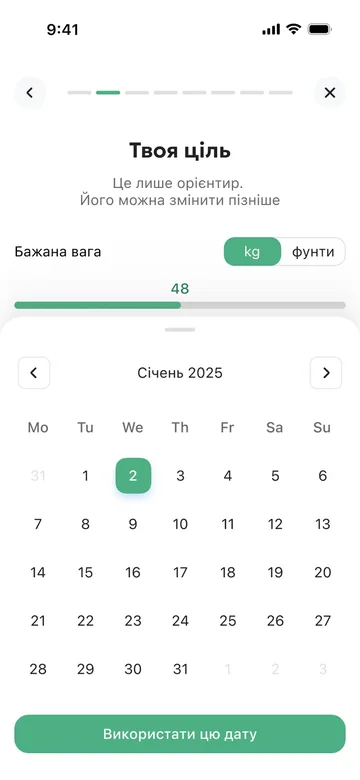
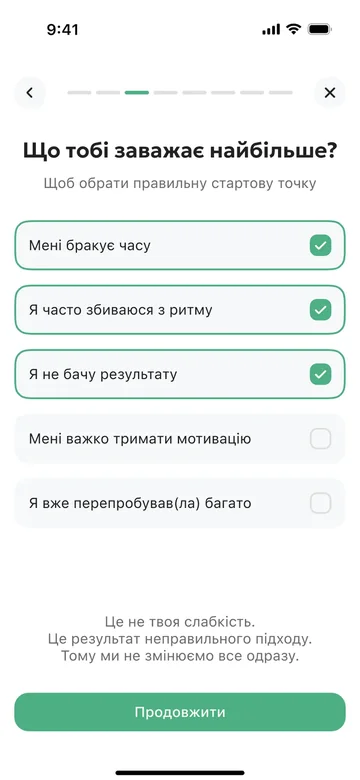
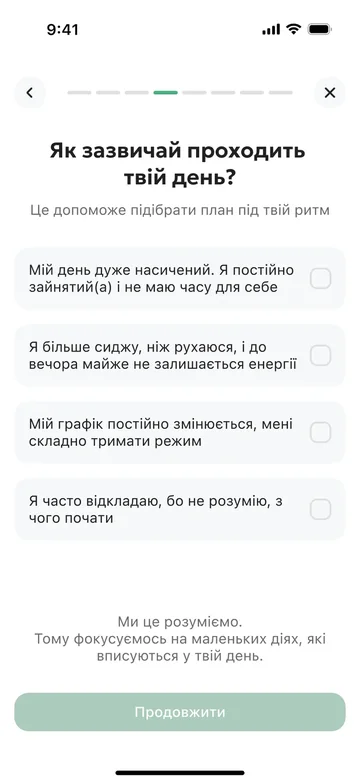




Eight onboarding steps from body data to the first tip, without pressure.

A website for Maksym Fedorchuk, a wedding and portrait photographer.
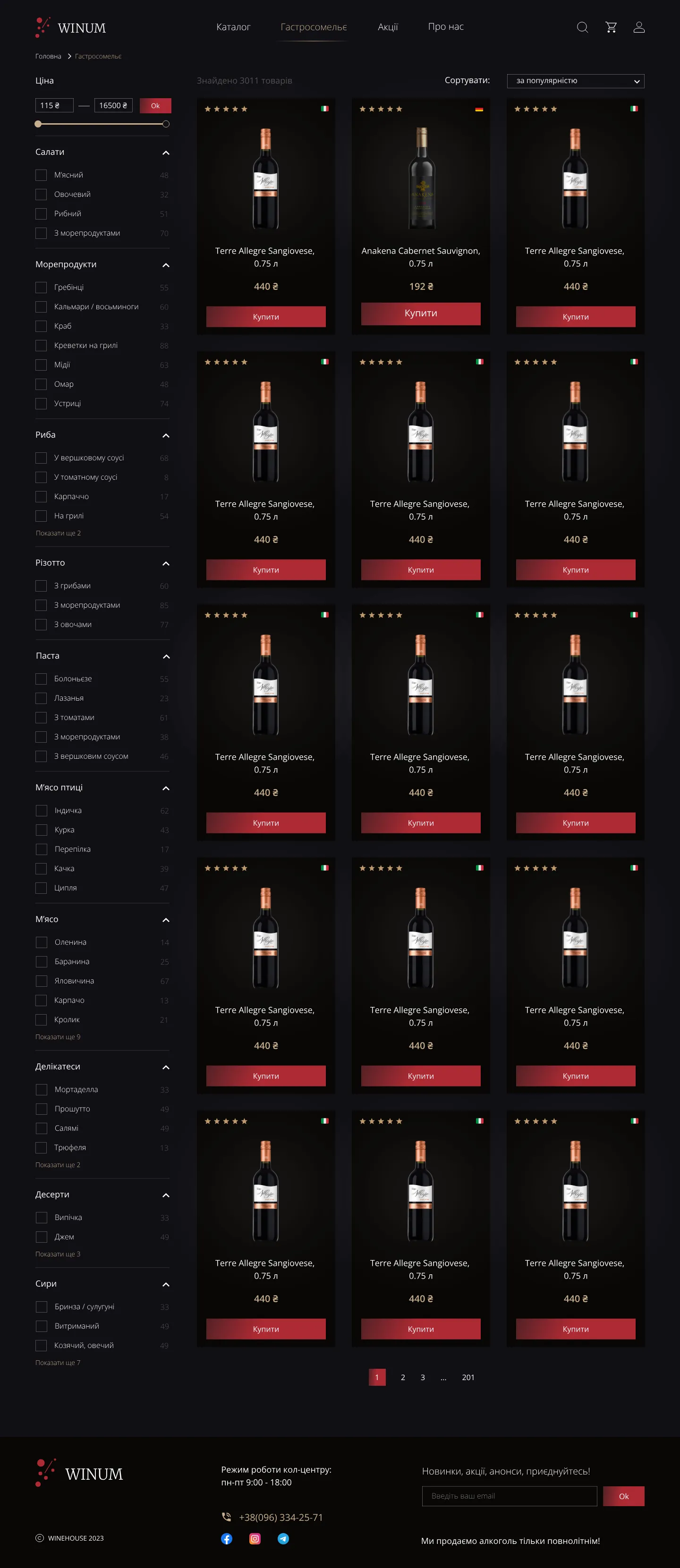
A wine store with a gastro-sommelier: pick a dish and get wines that go with it.
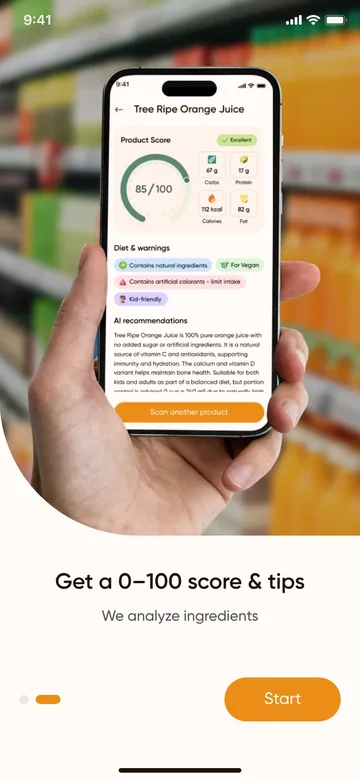
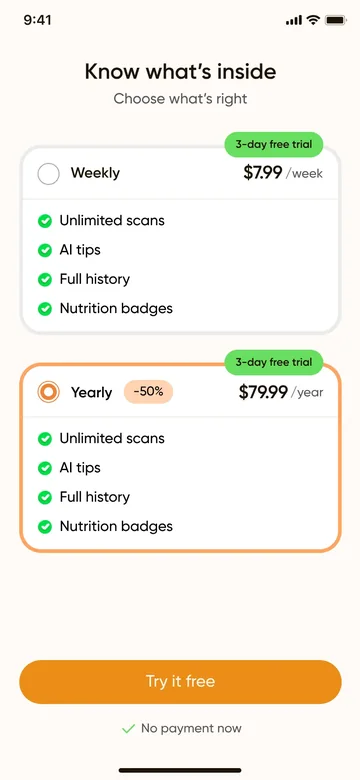
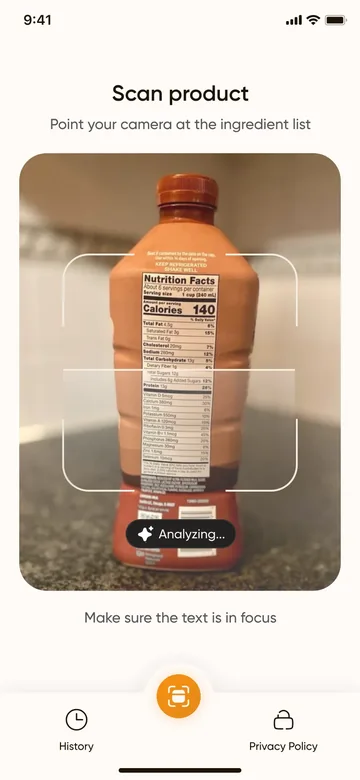
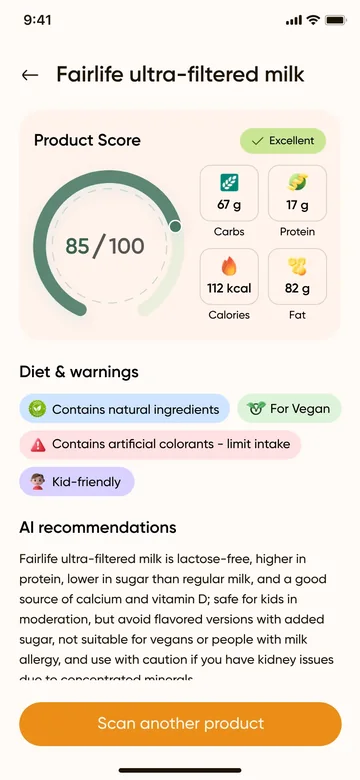
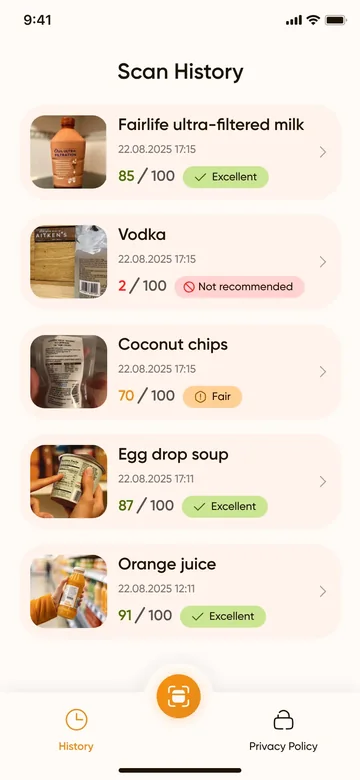
From a label to a 0–100 score with diet warnings in a few seconds.

A redesigned insurance landing with a policy calculator in the first screen.
Learning projects from 2022, where I started: the full cycle from research to UI.
Featured caseIn-houseE-document service
How I designed balance, limits and tariff purchase for an e-document service.
The project is under NDA, so the screens are slightly adjusted: no logos or brand names, fictional companies, changed numbers and hidden prices.
Every tariff in the service has three limits: documents, storage and employees. One account can hold several organizations, each with its own tariff. When a limit runs out, work stops.
The task was to show what’s left at a glance, warn before a limit runs out, and make buying a tariff clear right down to the moment it starts working.
I worked from two sources: data from our analysts and conversations with accountants.
Sends documents every day, often for several organizations. Needs to see what’s left in each one without opening them one by one, and to know early when a limit is close.
Chooses and pays for the tariff. Needs to know what changes, how to pay and when the new tariff starts.
I described each limit as a set of states and the transitions between them. Buying a tariff became a two-step flow: choose a tariff, then choose how to pay and see the consequences.
Documents, storage and employees use the same remaining card: a big number, a bar and a legend. People learn it once and read it everywhere.
The payment step says when the tariff starts: right away if it is higher, after the current one ends if it is the same or lower. It also warns that the 12-month term runs from the payment date.
Documents bought on top of a tariff are frozen, not lost, and come back with a higher tariff. When storage runs low, the warning says in advance that the oldest documents will become unavailable.
The error says what happened and offers three ways forward: try again, change the payment method or go back to the order.
The remaining card, banners in four tones, tariff cards and payment options, all on the product’s tokens. Type stays on an even scale: 12, 14 and 16 for the interface, 32 for the big number.
I build flows like this as clickable prototypes in code. Analysts and developers walk through every state themselves, which is easier than reading a stack of static frames. Switch the state, open a tab or buy a tariff.
Billing grew into a pattern rather than a one-off screen: the same states and components are designed for two products.
A state model is the quickest way to agree with analysts and developers on what we are building.
Edge cases deserve as much design as the happy path: frozen documents, a tariff that starts later, a payment the bank declines. That is where people stop and wonder whether something broke. Next, I would check the warning thresholds against real usage data.

I studied mining engineering at the National University of Water and Environmental Engineering in Rivne. Later I retrained as a UX/UI designer at Mate Academy, redesigned mobile apps at Next Level Apps and moved into product design.
Since July 2023 I’ve worked at Linkos Group, a product company that builds document-management and government-reporting services. I was the lead designer on two products built from scratch: a back office for a certificate authority (a qualified trust service provider) and services for the tax authorities (SOD RRO). My work also covers e-documents and e-waybills, tariffs, access rights, analytics and a knowledge base for a POS system. Before designing access rights, I studied how other e-document services and DocuSign handle signers and viewers.
The engineering habit stayed with me. I think in systems, states and tolerances: sizes are even, tokens have names, and every screen knows what to do when something goes wrong.
On the side I take freelance projects: mobile apps, landing pages and a portfolio website for a photographer. I use AI tools to explore ideas faster and to turn designs into clickable prototypes.
Six things I bring to a product team. They work best together.
I start from the business rule and what a person needs to finish the job.
Flows, states and edge cases mapped before pixels.
Calm, precise interfaces: a clear hierarchy, an even scale and colour that carries meaning.
Tokens from primitives to semantics, components with variants, light and dark themes.
I explore options and test flows faster. The decisions stay mine.
Clickable prototypes in Figma and in code, plus specs that are easy to build from.
ToolsFigma: variables and componentsFigJamHTML and CSS prototypesAI assistants
A design system is a set of decisions you don’t have to make twice. Here are mine, each with a live specimen.
Type, icons, spacing and radii sit on even numbers. Text starts at 12 and never lands on 13, 15 or 17.
16 / 24Body text, the default for reading13 · 15 · 17
Raw colours live in one layer and their meaning in another. A new theme is a new mapping of semantic tokens, and components stay untouched.
Default, hover, focus, disabled, error and loading. Each one gets designed, because each one shows up in production.
Resting state. Nothing asks for attention.
Accountants scan long lists. Tables get tabular figures, sortable columns and a compact mode, and on a phone they fold into cards.
| Document | Counterparty | Status | ||
|---|---|---|---|---|
| Invoice No. 214 | Okeanenko LLC | 16.10.2026 | 48,600.00 | Signed |
| Act of work No. 87 | Kashalotenko Group | 15.10.2026 | 12,450.00 | To sign |
| E-waybill No. 1032 | Khvylovyi & Co | 14.10.2026 | 96,120.00 | Sent |
| Contract No. 12 | Okeanenko LLC | 10.10.2026 | 240,000.00 | Draft |
| Reconciliation act No. 9 | Kashalotenko Group | 09.10.2026 | 3,980.00 | Rejected |
While moving a mobile UI kit to a 4 px radius grid, I found one token bound to 767 layers. Now I check bindings before I touch a variable.
Contrast is checked, focus is always visible, and touch targets are at least 44 px. The ratios here are measured live from this page’s colours.
Open to UX/UI design work, freelance projects and conversations about complex interfaces. Write in English or Ukrainian.
Local time in Kyiv12:00